Generate Playwright Automation Using AI | OpenAI + Playwright Tutorial

In this video, we will learn how to build a simple AI Agent framework using Playwright and OpenAI. This video explains the concept of AI agents in test automation and how AI can generate Playwright automation scripts dynamically based on user instructions. We start by understanding the theory behind AI agents, including Planner, Generator, and Healer concepts, and then we move to a practical implementation where we build a simple AI agent structure inside a Playwright project. In this project, instead of writing Playwright automation scripts manually, we give instructions in plain English like: "Open Google, search Playwright, click first link and take screenshot" and the AI generates Playwright automation code and executes it automatically. This video covers: * What is an AI Agent in automation * Planner, Generator, and Healer concepts * How AI can generate Playwright automation scripts * Project folder structure for AI agent framework * Prompt Engineering and Prompt Template * OpenAI Client integration * Agent Executor logic * Dynamic code execution using JavaScript * Execution flow from test file to AI to Playwright * How to generate and use OpenAI API Key * End-to-end architecture explanation Project Flow Explained: Spec File → Agent → OpenAI Client → Prompt Template → OpenAI → Generated Playwright Code → Agent Executes Code → Browser Automation This is a beginner-friendly introduction to AI-powered test automation using Playwright and AI models. This video is useful for: * Playwright Automation Engineers * QA Automation Engineers * SDET Engineers * AI in Test Automation learners * Developers interested in AI Agents * Anyone who wants to learn the future of automation testing Tools Used: * Playwright * Node.js * OpenAI API * JavaScript * VS Code To use OpenAI API, generate your API key here: https://platform.openai.com/api-keys Then set your API key as an environment variable: Windows: set OPENAI_API_KEY=your_api_key Mac/Linux: export OPENAI_API_KEY
More like this
Playwright Fixtures Explained: Built-in Fixtures (page, request & more)
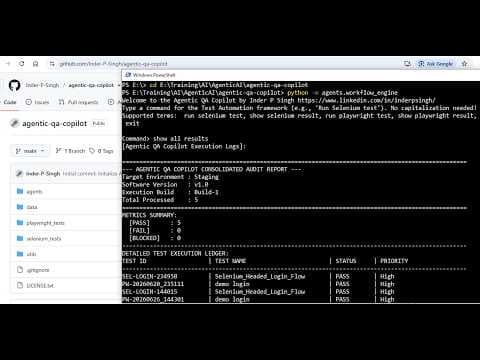
Agentic AI Test Automation Framework Tutorial | Selenium, Playwright & QA Copilot
Playwright Test Automation Jobs Are Booming | RD Automation Learning
2748 Playwright Jobs in India | Playwright & Modern Testing | RD Automation Learning
Join the discussion
Sign in to join the discussion
Sign in